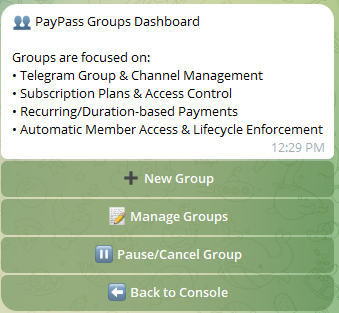
Launching your business on PayPass is fast and requires no programming skills. Follow this guide to set up your first subscription plan.
Prerequisites
Before you begin, ensure you have the following:
- A private Telegram Group or Channel that you own.
- A public wallet address on Solana (SOL), BNB Chain (BNB), or Ethereum (ETH) to receive your payouts.
Step-by-Step Walkthrough
-
Start the PayPass Bot:
Search for @PayPassTGBot on Telegram and click the Start button. This will initialize your owner profile.
-
Create a Project:
Click the Group Subscriptions button in the owner console, then click ➕ New Group to initialize the creation process.
-
Input Project Details:
Provide a title for your subscription (e.g., "Premium Crypto Signals") and a short description. This details will display on your checkout page.
-
Configure Payout Addresses:
Provide your public wallet addresses for the blockchains you wish to support. Funds from buyers will route straight to these addresses.
-
Define Subscription Plans:
Set up your pricing tiers. For example: Monthly Plan ($29.99 in SOL/BNB/ETH) or Yearly Plan ($249.99).
-
Add the Bot to Your Group/Channel:
Promote the bot to an administrator inside your group or channel to finalize automation. The bot will automatically output your unique checkout URL.